Working together
A synced project is worked on by everyone who has it open, at once. There is no checking out, no merging, and no Save: each change reaches the others as it is made, and the service checks every one against what its author may change.
Editing at the same time
Section titled “Editing at the same time”Blueprints, docs, Backlog tasks, and canvases are live. Every page on a file sees the others’ changes as they happen, whether they come from a teammate on another machine, an agent, an eidos command, or git, and none needs a reload. A teammate’s change lands in the file you have open as their typing, never as a change from outside the app; only a write from an agent, a command, or git on your own machine is marked Changed outside the app, with Keep and Revert.
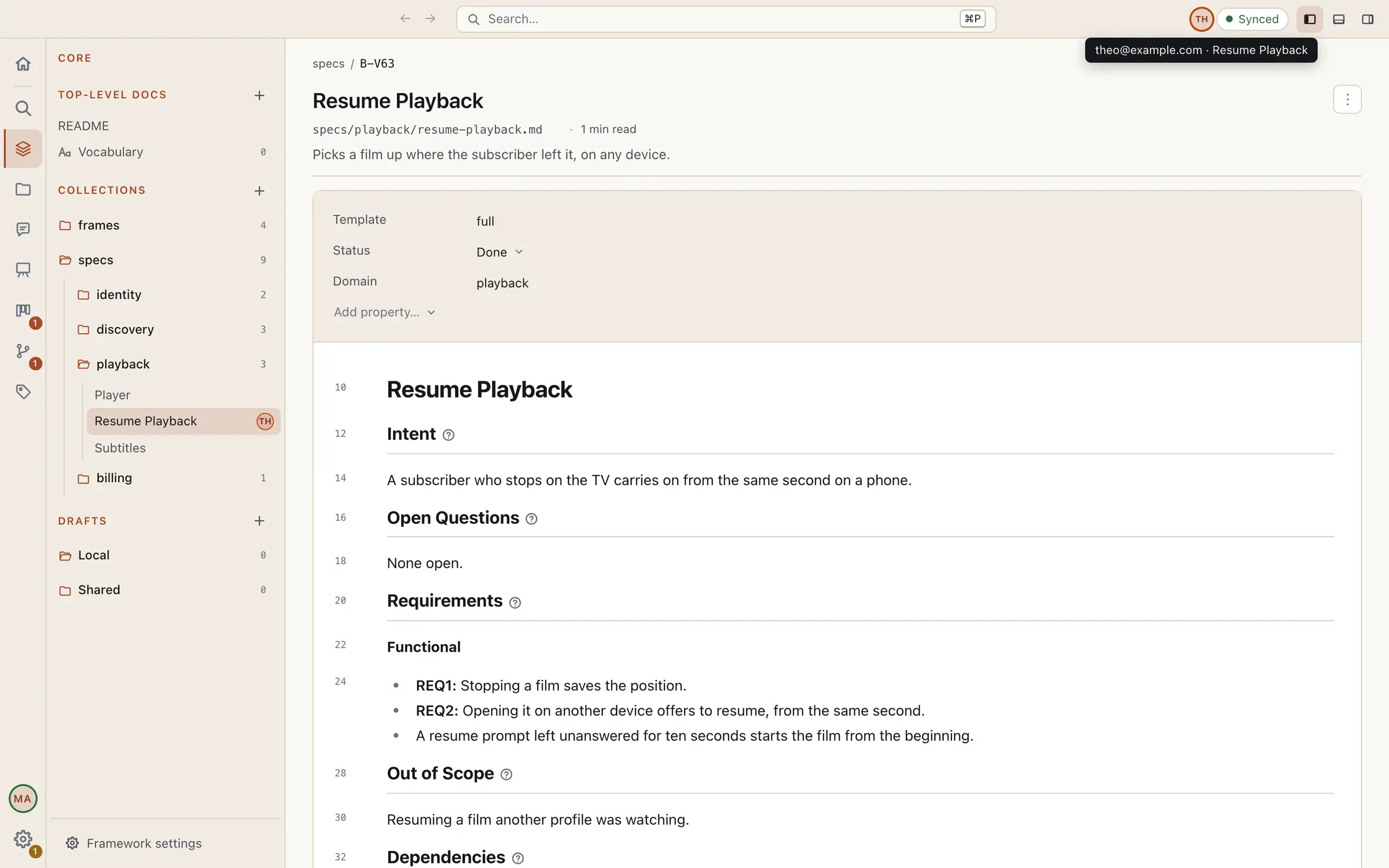
Who else is in the project shows in two places:
- Beside the sync widget, the avatars of everyone else with the project open, past five as +N, each in a colour of their own drawn from their account, so a person reads the same on every machine. Hover one for their name and the pages they have open.
- In the sidebar, a small avatar on the row of each file someone has open.
Your own account is never shown as someone else, however many devices you have the project open on. In a second window on the same file, your caret shows in the first, flagged You, in another window.
Members and access
Section titled “Members and access”Settings → Users is where a synced project’s people are kept. Members lists the people with an account on the project, each with their access at the end of the row. Local users and agents, below, are the project’s own entries with no account behind them, as before: an agent, or a stakeholder an agent plays.
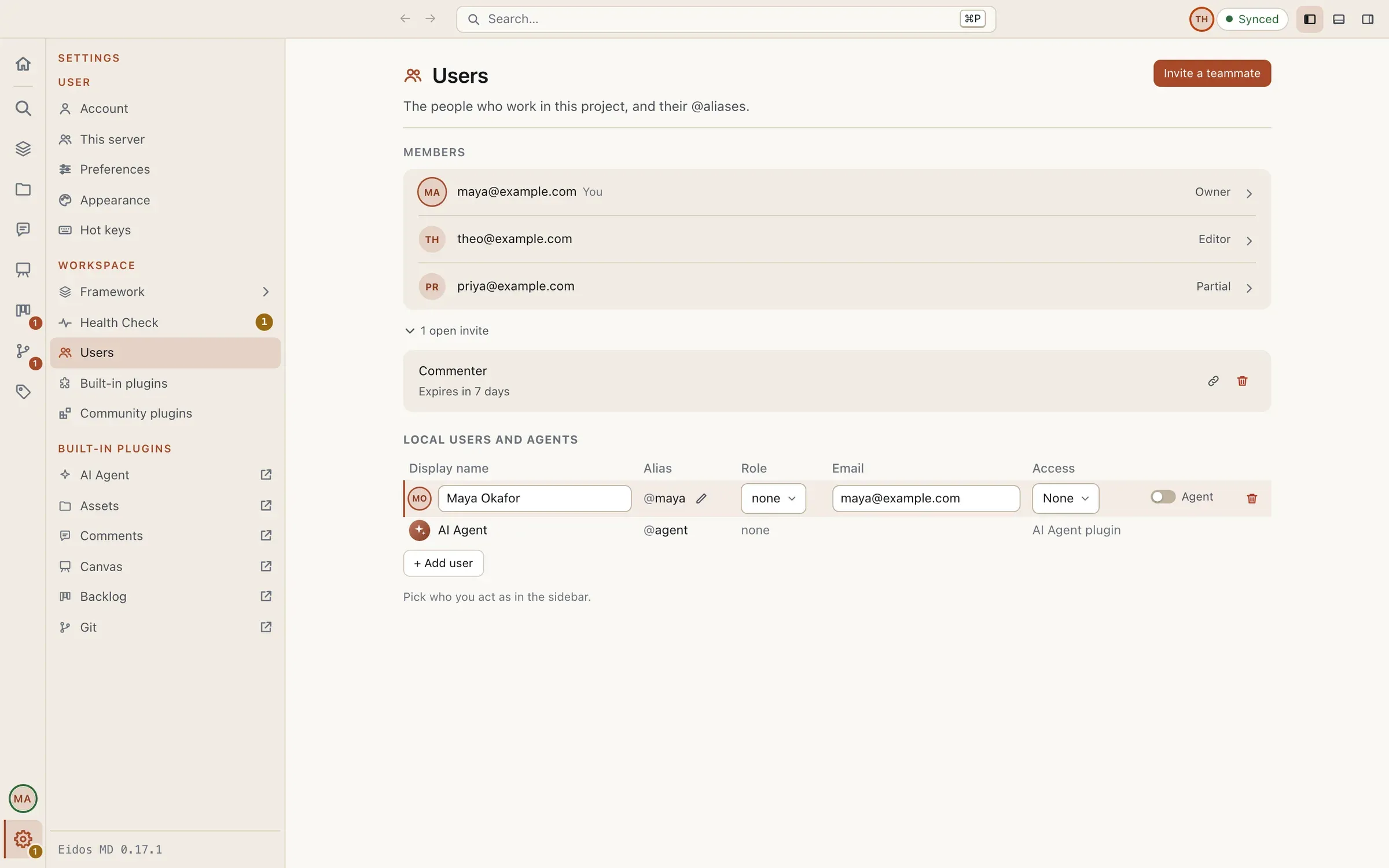
Each member has a level:
| Level | Can |
|---|---|
| Viewer | read |
| Commenter | read, and write comment threads |
| Editor | read and write |
A level is given on the whole project, or By part, each part with a level of its own: an editor on the Backlog and a viewer of the blueprints is one member’s access, and reads Partial, its parts named on hover. The parts are Blueprints and docs (the collections, the top-level docs, and the drafts), the Backlog, the Canvas, the Records, and the Assets. The framework (.eidos/) reaches every member, since the page can’t draw a project without it.
A project has one Owner, who put it online, and any number of Managers. The owner and the managers edit everything, and invite, change, and remove members. Anyone else sees the Users page read-only.
The service checks every change against its author’s access before anyone receives it. A change refused never reaches the others: on the author’s machine the file goes back to what the project has, with a toast saying why, and the edit is kept aside. A file in a part a member can’t read never reaches their disk.
Invite a teammate
Section titled “Invite a teammate”Invite a teammate, at the head of the Users page, invites someone with a Role (a member, or a manager) and a Project access (one level, or By part), in one of two ways:
- Email: type their Email address and Send invite. They get an email with a link to join that works only for that address, for 30 days, and makes their account if they have none. On Eidos online the link opens a page on your account’s site that signs them in and joins them to the project; then Join Online Project… in the app lists it under their account. The invite is listed under the members until they join.
- Link: choose when the Link expires (in a day, a week, or a month), Create link, then Copy link and send it however you like. Anyone signed in who opens the link joins with that access, until it expires. A link is not used up by the first person who takes it, so revoke it once your teammate has joined.
Viewers and commenters are always free. Inviting an editor once your two free editors are taken asks what happens if they hold no seat: the owner chooses Pay for their seat or Invite as a commenter, and a manager Invite as a commenter or Ask the owner. A link offers only Invite as a commenter, since anyone may open it. See Plans and pricing.
The open invites sit behind one line under the members (1 open invite); each can be copied again or Revoked, and revoking one never removes anyone who already joined.
Your teammate pastes the link into Join Online Project… in the Launcher, which brings the project onto their machine in a new folder, or into Turn on sync → Connect to an online project for a folder that is already a copy. See Syncing a project.
Change, remove, or leave
Section titled “Change, remove, or leave”Click a member’s row to open their page within Users. The owner and the managers change their role and their access there, whole or part by part, or Remove from project: they stop receiving changes at once, and their folder stays on their device as it was. Invite them again to bring them back. A member keeps one part at least; to take away all access, remove them.
On your own page, Leave project stops this folder syncing and leaves it as it is. You’ll need a new invite to come back. A project never loses its owner: the owner can’t be removed and can’t leave.